How to use Kaya
All chapters
Your shop link and what a customer sees
One link to send anywhere. A customer buys with no app and no account. You get the order.
Send on WhatsApp
Opens WhatsApp so you can pick who to send it to.
- Step 1
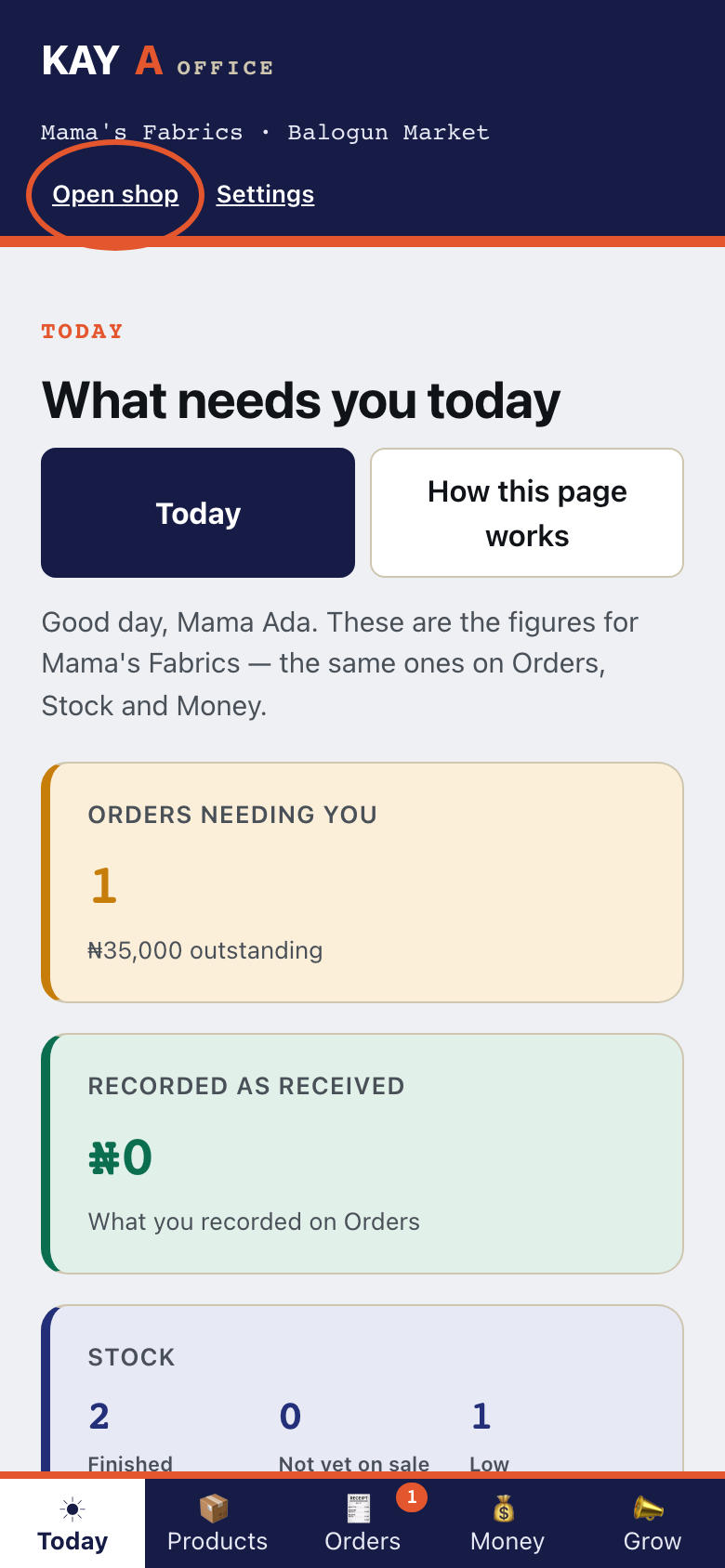
In your Office, tap Open shop.
- Step 2
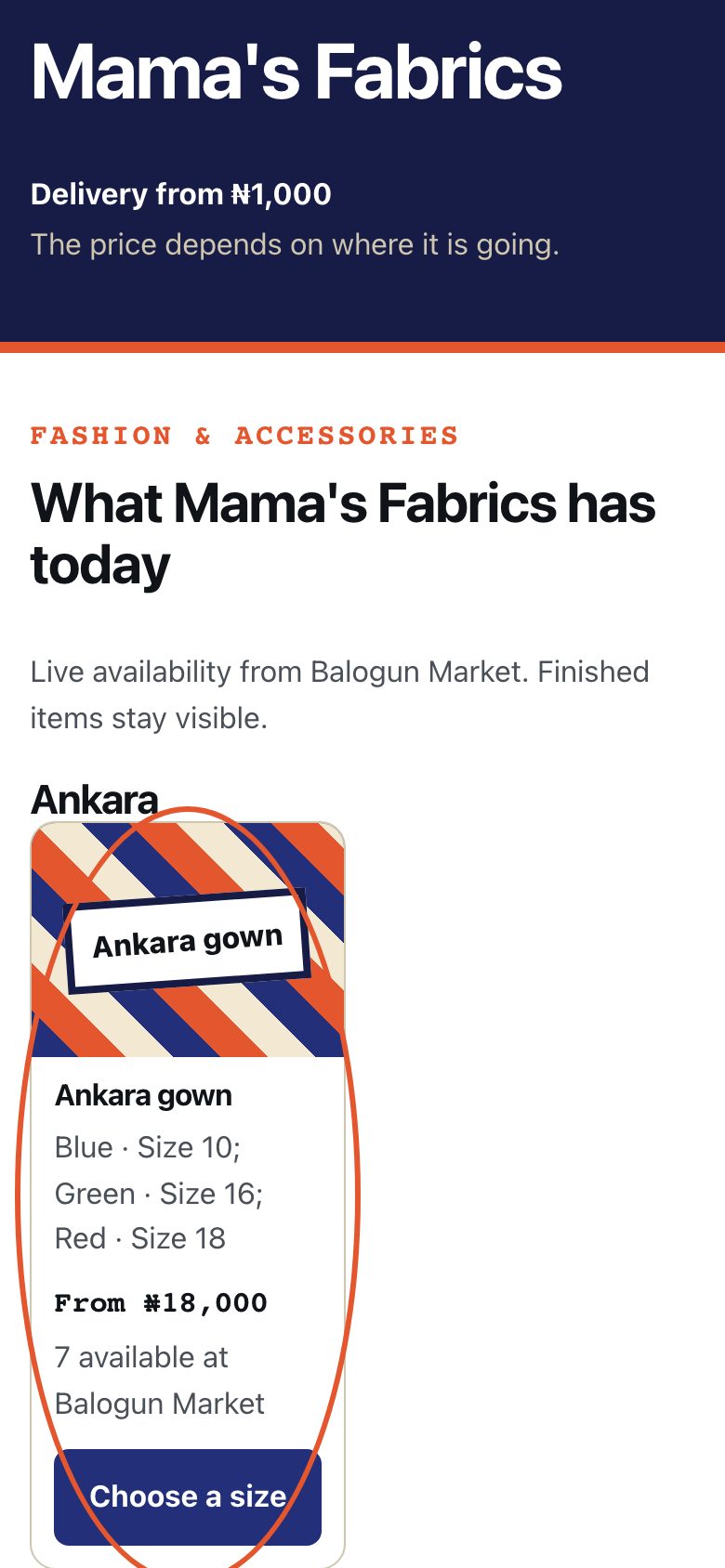
This is your shop page. Tap the first item.
- Step 3
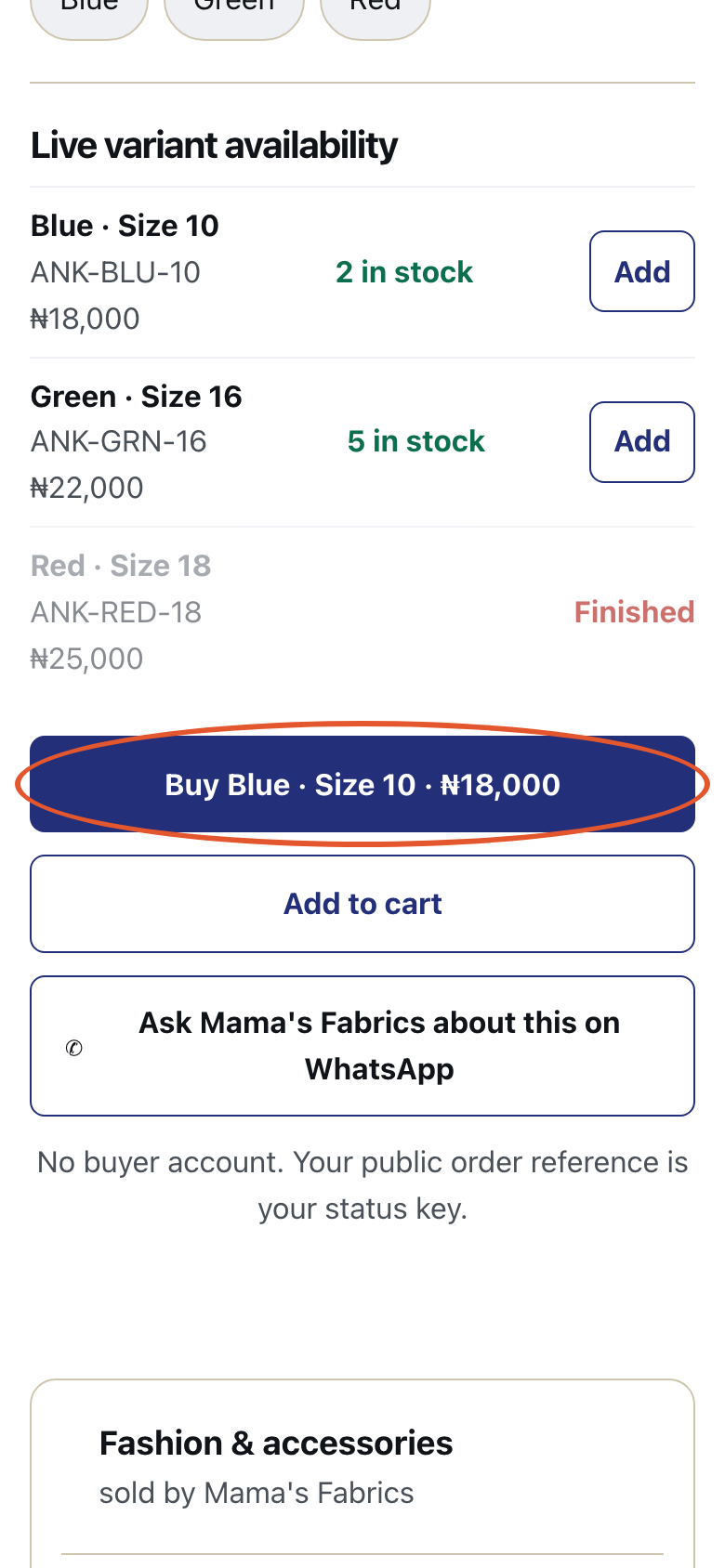
This is the product page. Tap Buy Blue · Size 10 · ₦18,000.
- Step 4
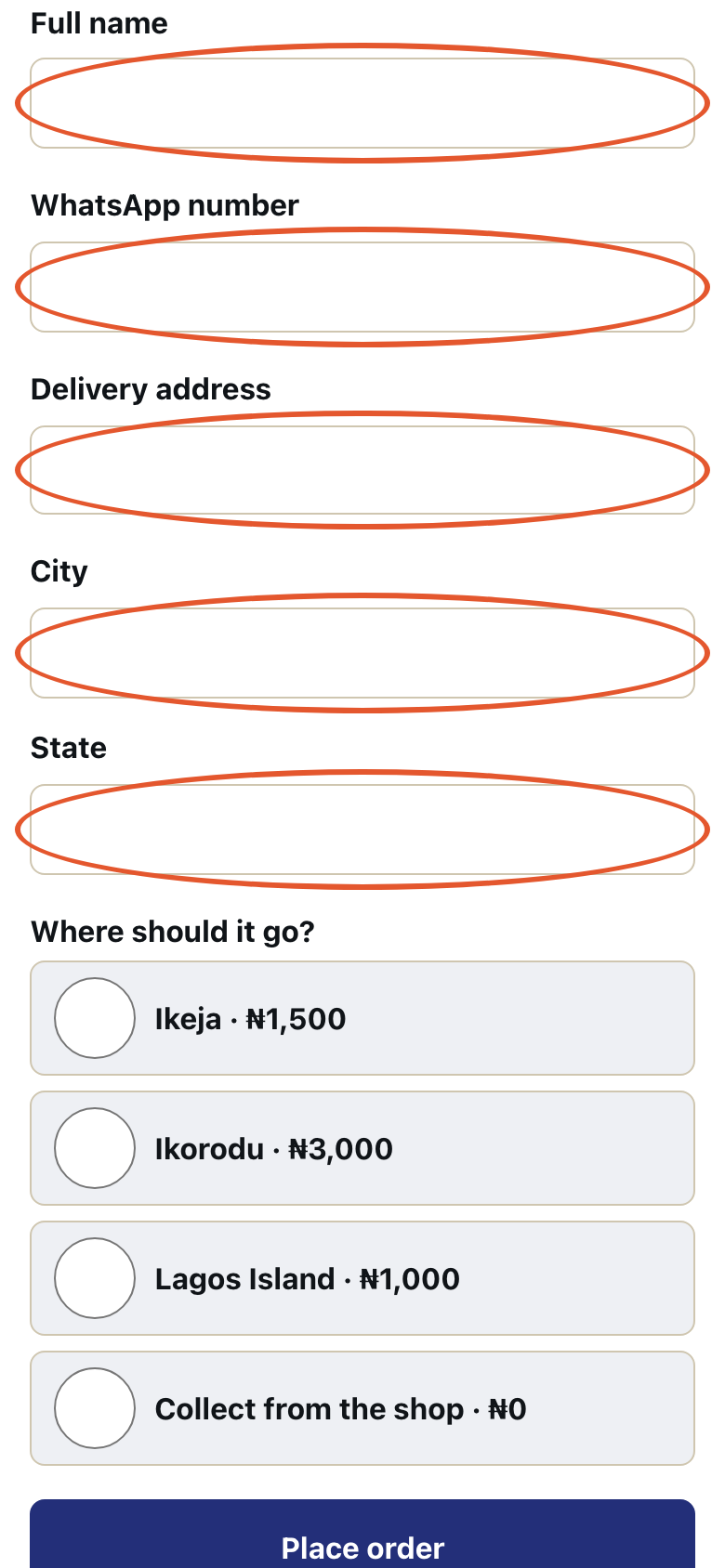
This is the checkout. A customer types their Full name, their WhatsApp number, their address, their City and their State.
- Step 5
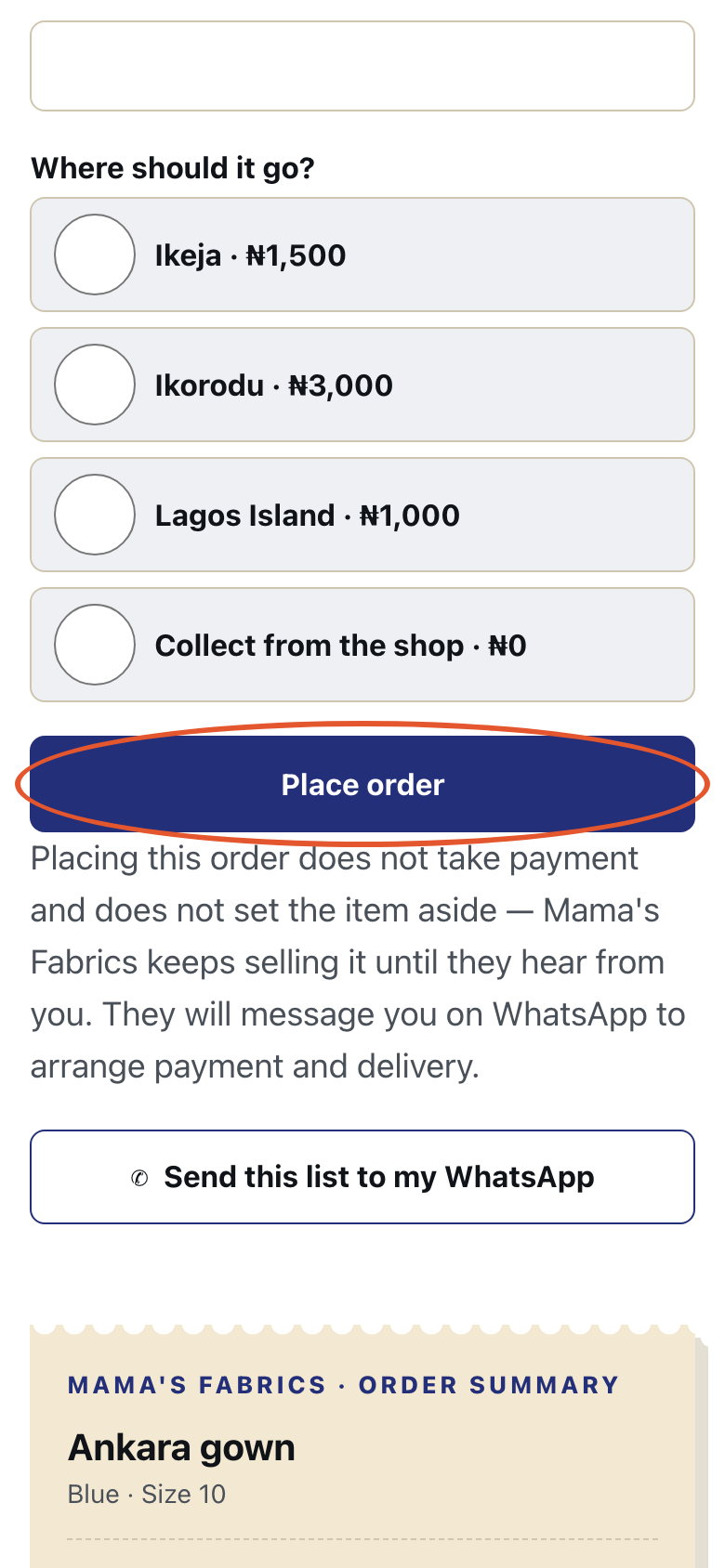
Then they tap Place order. This page shows the form, not a placed order.
- Step 6
The status page says Public order status. It also says No login needed.
- Step 7
Placing this order does not take payment and does not set the item aside. Kaya takes no money and settles none. Record that money arrived on Orders.