How to use Kaya
All chapters
Start your shop with one message
About two minutes, from your phone. No form.
Send on WhatsApp
Opens WhatsApp so you can pick who to send it to.
- Step 1
On the landing, tap I am new. Then tap Start on WhatsApp.
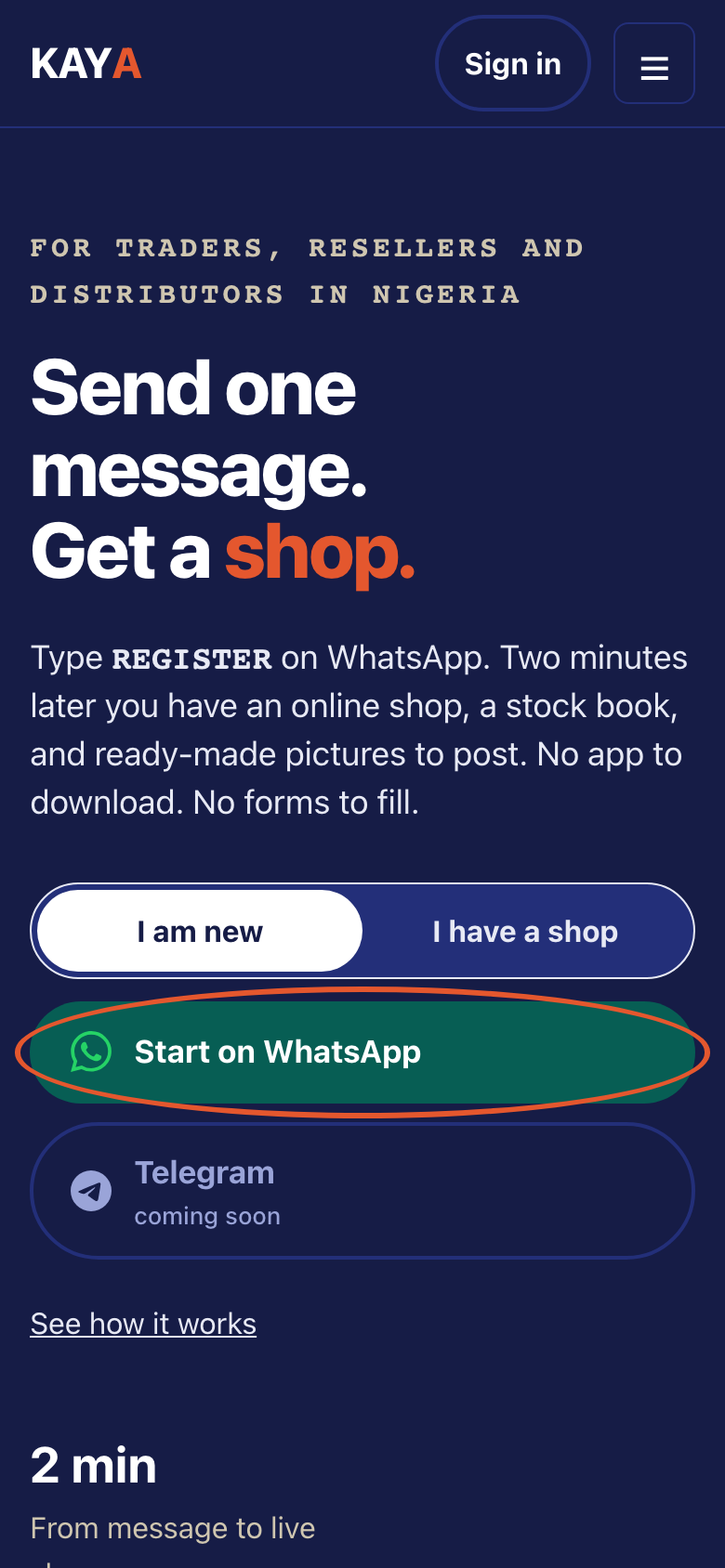
- Step 2
Send REGISTER as its own message.
This is what Kaya writes
youREGISTERKayaWelcome to Kaya! I'll set up your online shop in about 2 minutes. First — what's your name? (Reply CANCEL any time to stop.) - Step 3
Answer each question in order.
This is what Kaya writes
KayaFirst, tap Share my number so Kaya knows your shop's phone number. (Reply CANCEL any time to stop.)KayaFirst — what's your name?KayaThanks. What's your business name?KayaWhat do you sell? Reply with a number: 1. Fashion & accessories 2. Food & drinks 3. Groceries & provisions 4. Beauty & personal care 5. Services & appointmentsKayaWhere are you based? (Your city and state.)KayaSend your logo — or reply SKIP for now. (For the moment I can only accept SKIP here; you can add a logo later in the Office.)KayaHow do you want to get paid? Reply with a number: 1. Bank transfer 2. Card and transfer 3. Decide later - Step 4
Check your shop details. Reply CONFIRM to finish.
This is what Kaya writes
KayaPlease check your shop details: 1. Owner: — 2. Business: — 3. Sell: — 4. Location: — 5. Logo: — 6. Payment: — Reply CONFIRM to finish, or a number (1-6) to change that answer. - Step 5
You get your shop link. Open it when you are ready.
This is what Kaya writes
KayaDone! Your shop is live: https://kaya.sabidesk.cloud/your-shop 👉 Open your Office: https://kaya.sabidesk.cloud/app/auth/your-link Everything in your Office is open for your first 14 days. Reply MENU any time. - Step 6
On Telegram, tap Share my number.
This is what Kaya writes
KayaFirst, tap Share my number so Kaya knows your shop's phone number. (Reply CANCEL any time to stop.)youShare my numberKayaTelegram is now connected to your Kaya shop. Reply MENU to sell, or LOGIN for a sign-in link.