How to use Kaya
All chapters
Sizes, colours and prices
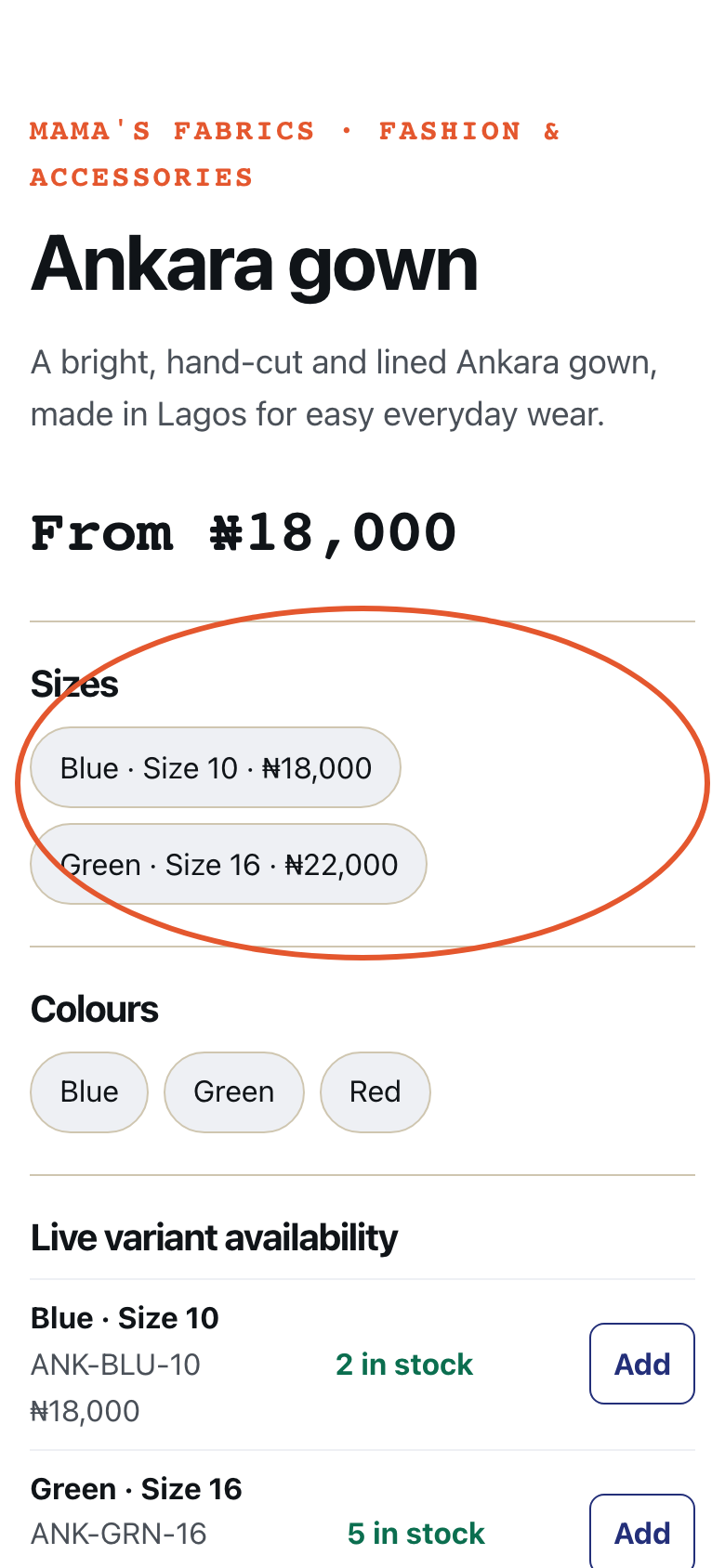
One product, every size, each with its own price and its own stock. Then size 16 finished is a fact, not a memory.
Send on WhatsApp
Opens WhatsApp so you can pick who to send it to.
- Step 1
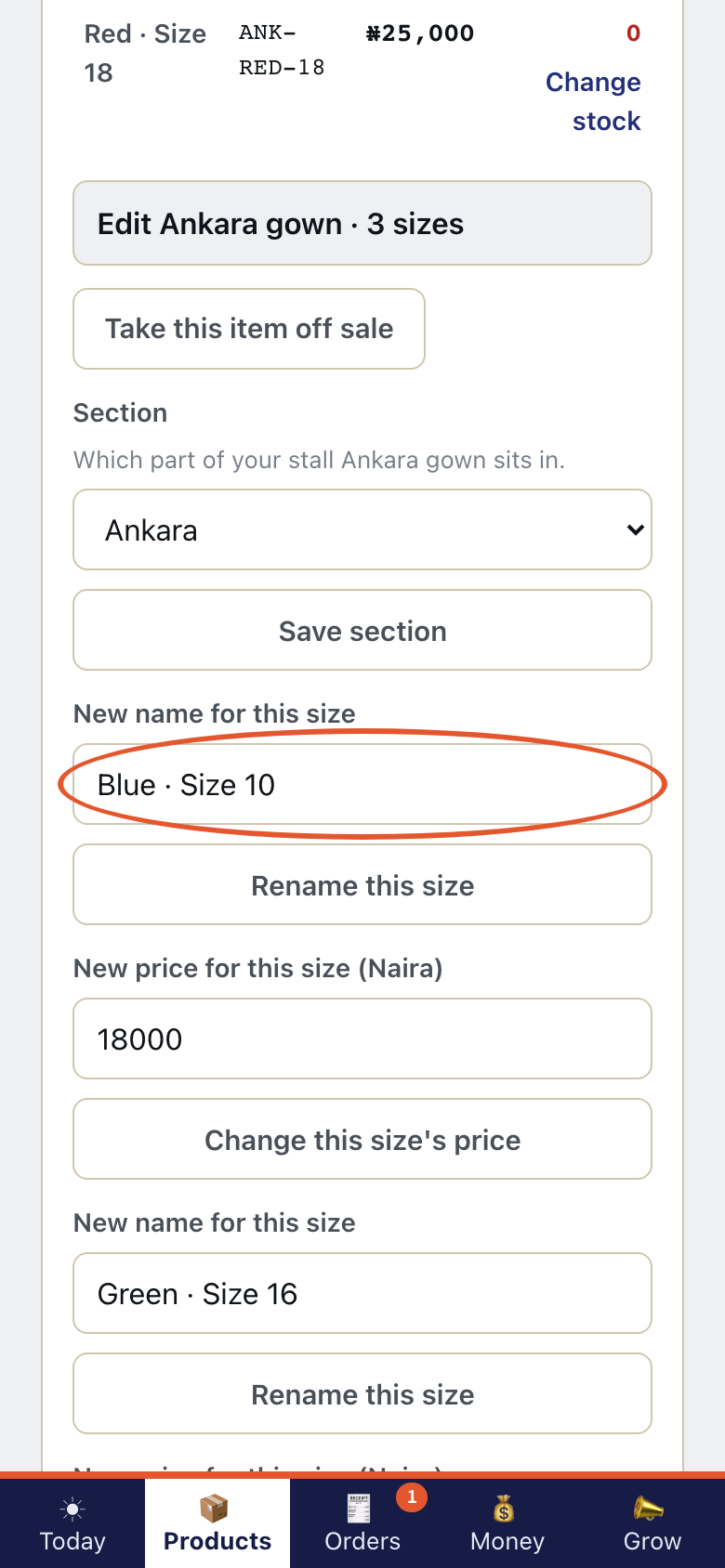
Open Products. Tap Manage on the product. Type a New name for this size.
- Step 2
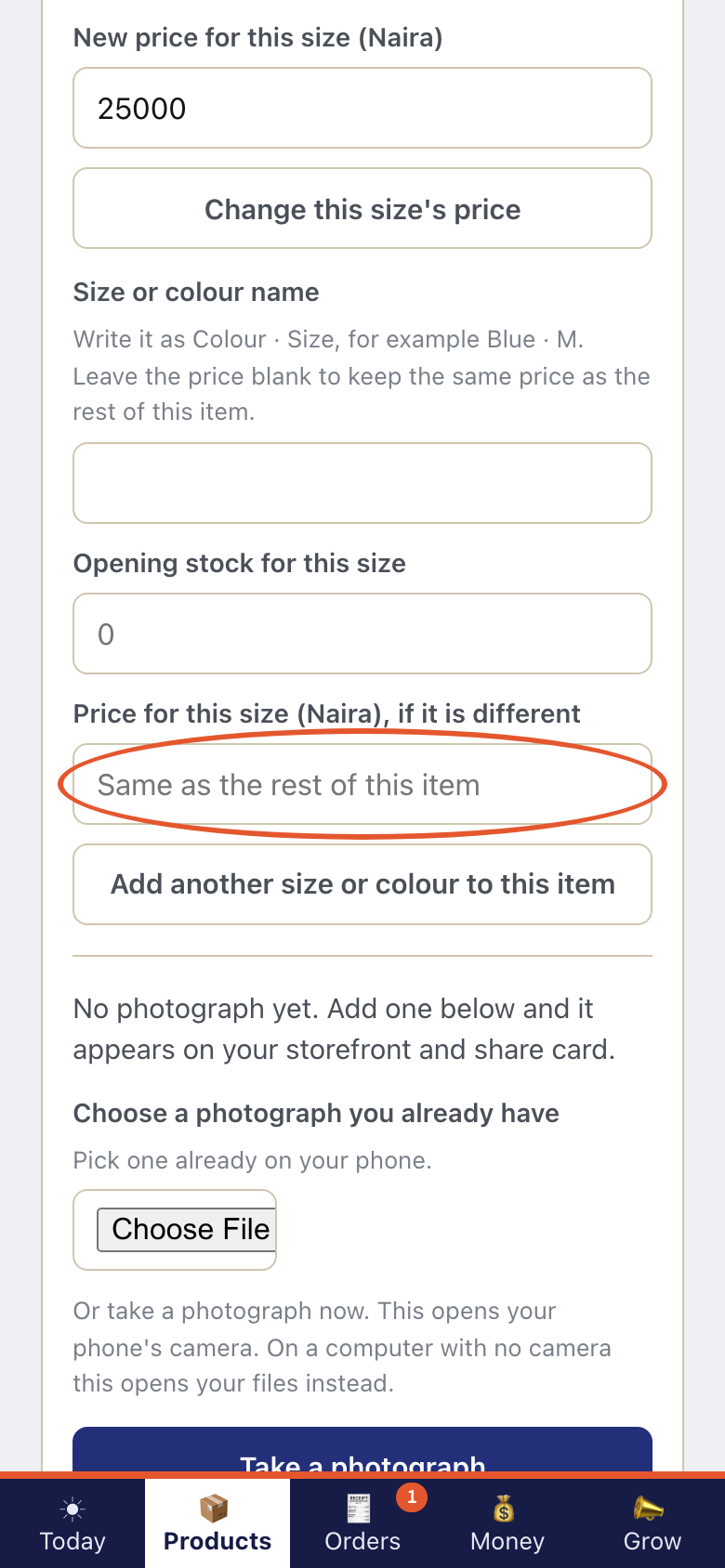
Type Price for this size (Naira), if it is different.
- Step 3
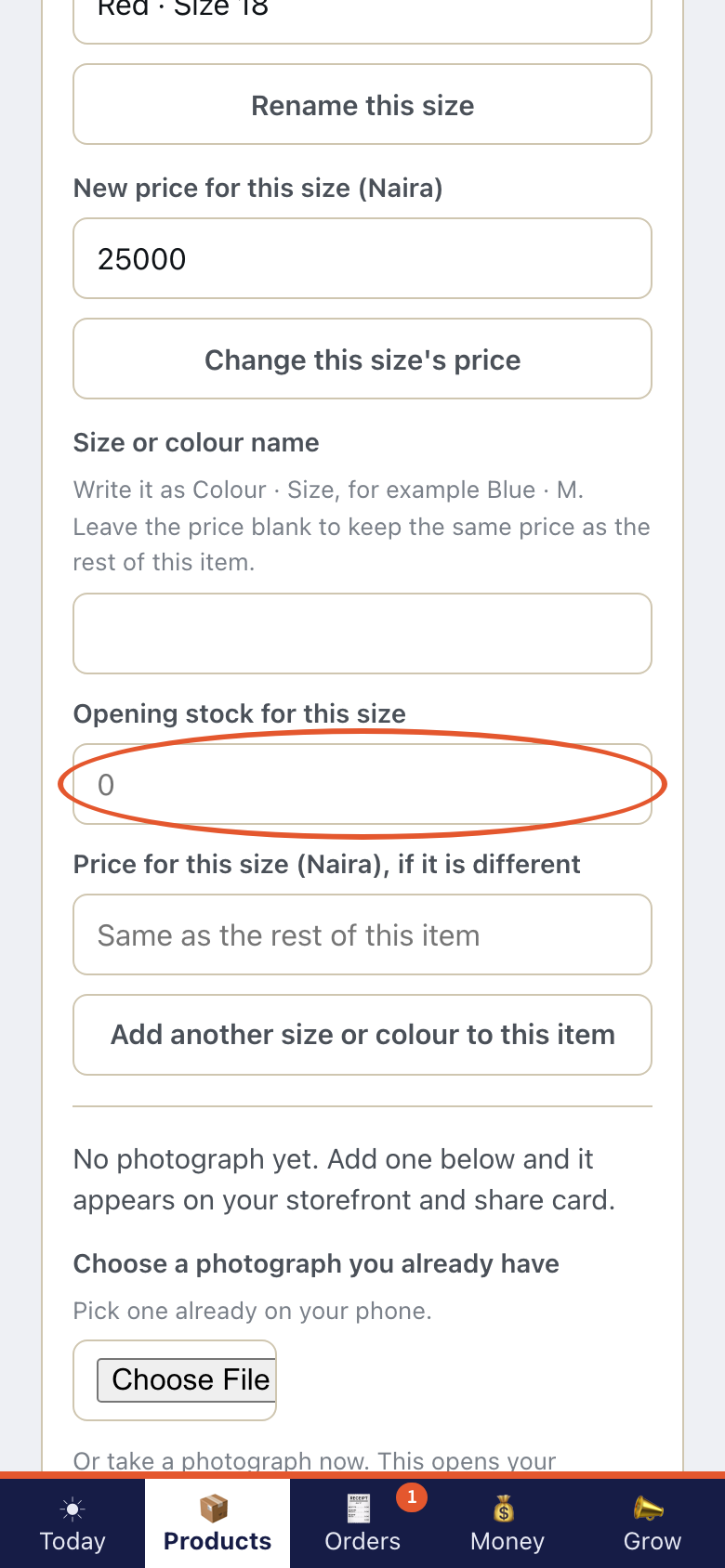
Type Opening stock for this size.
- Step 4
The first size is free on every plan. More than one size on a product is part of the Trader plan. Kaya is not taking payment for plans yet.
- Step 5
On your shop, a customer picks a size.