How to use Kaya
Share a product or your whole shop
One tap gives you the picture and words to post. A tracked link later shows what people opened.
Opens WhatsApp so you can pick who to send it to.
- Step 1
Open Grow, then Share. Choose one product. Read its Link to send and Message to send.
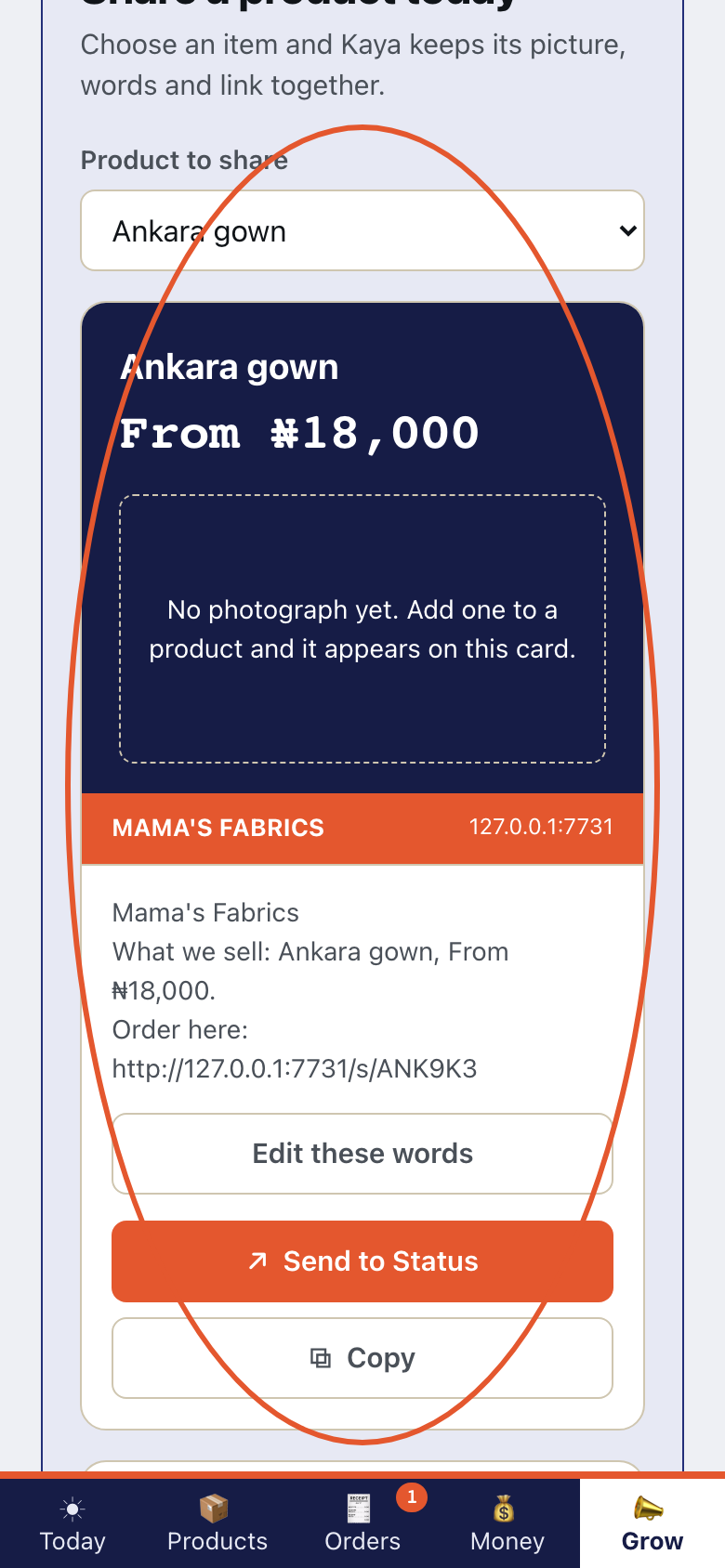
- Step 2
Read Your whole shop. It has a Shop link, Tracked link and Message to send.
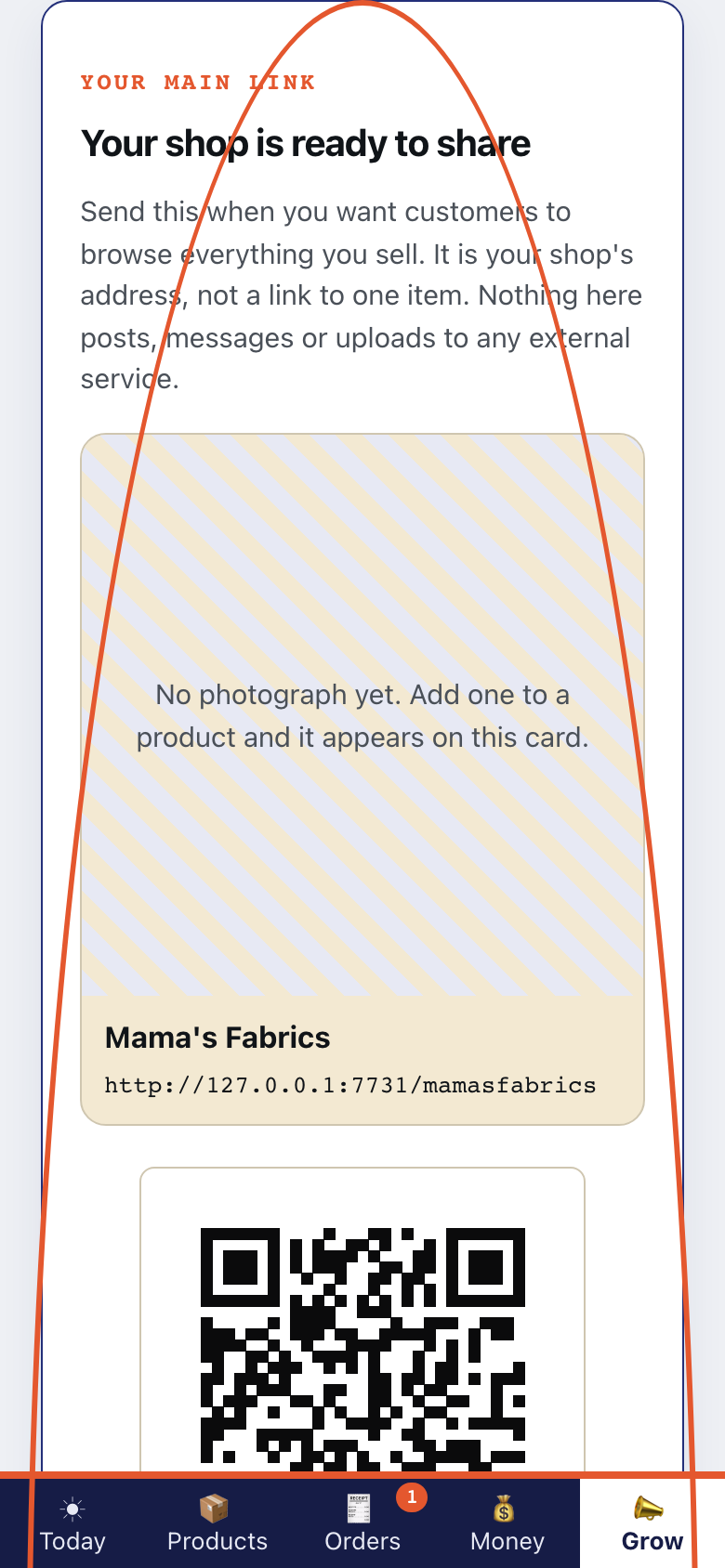
- Step 3
Make your whole shop one picture. Share cards and the captions you write is part of the Trader plan. Kaya is not taking payment for plans yet.
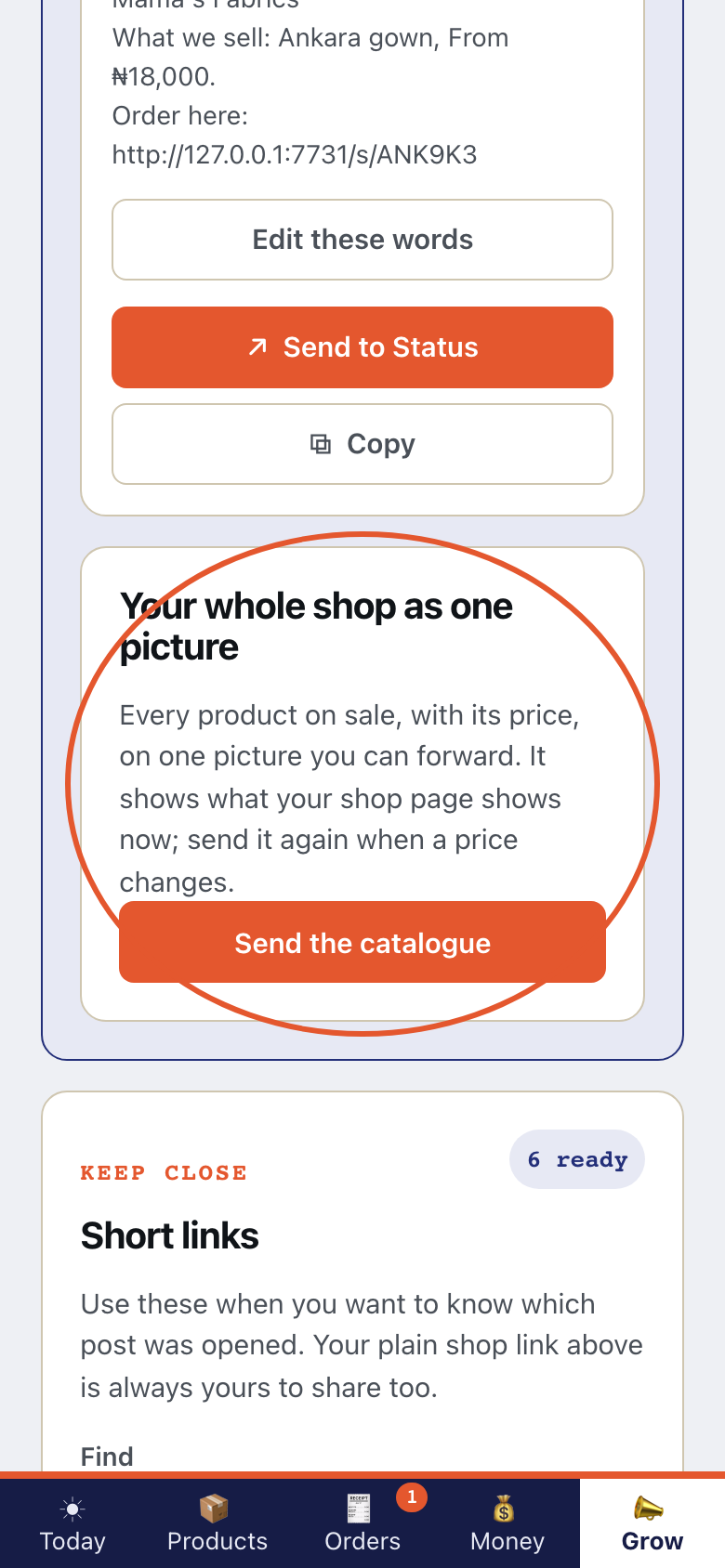
- Step 4
Use Hold this code up for a customer to scan. The QR poster for your door is part of the Shop plan. Kaya is not taking payment for plans yet.
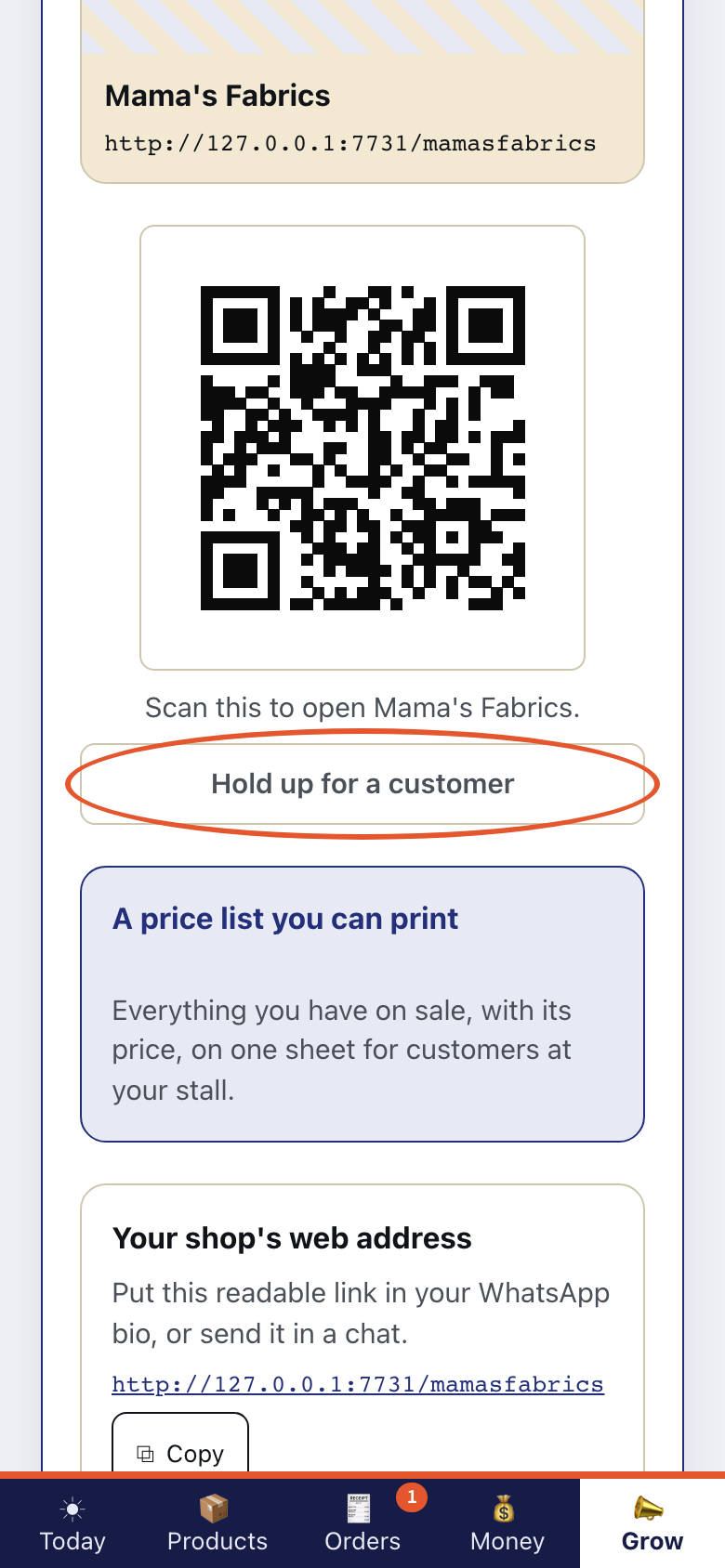
- Step 5
Print a price list. A price list you can print is part of the Shop plan. Kaya is not taking payment for plans yet.
- Step 6
On Telegram, tap Share my shop.
This is what Kaya writes
KayaYour shop: https://kaya.sabidesk.cloud/your-shop Forward it to a customer or a group. Your catalogue sheet is on its way as a picture.