How to use Kaya
All chapters
Put a product up from one photo
A photo, a name and a price. The item is on your shop link at once. Customers see it at once.
Send on WhatsApp
Opens WhatsApp so you can pick who to send it to.
- Step 1
Open Products. Tap List a new product.
- Step 2
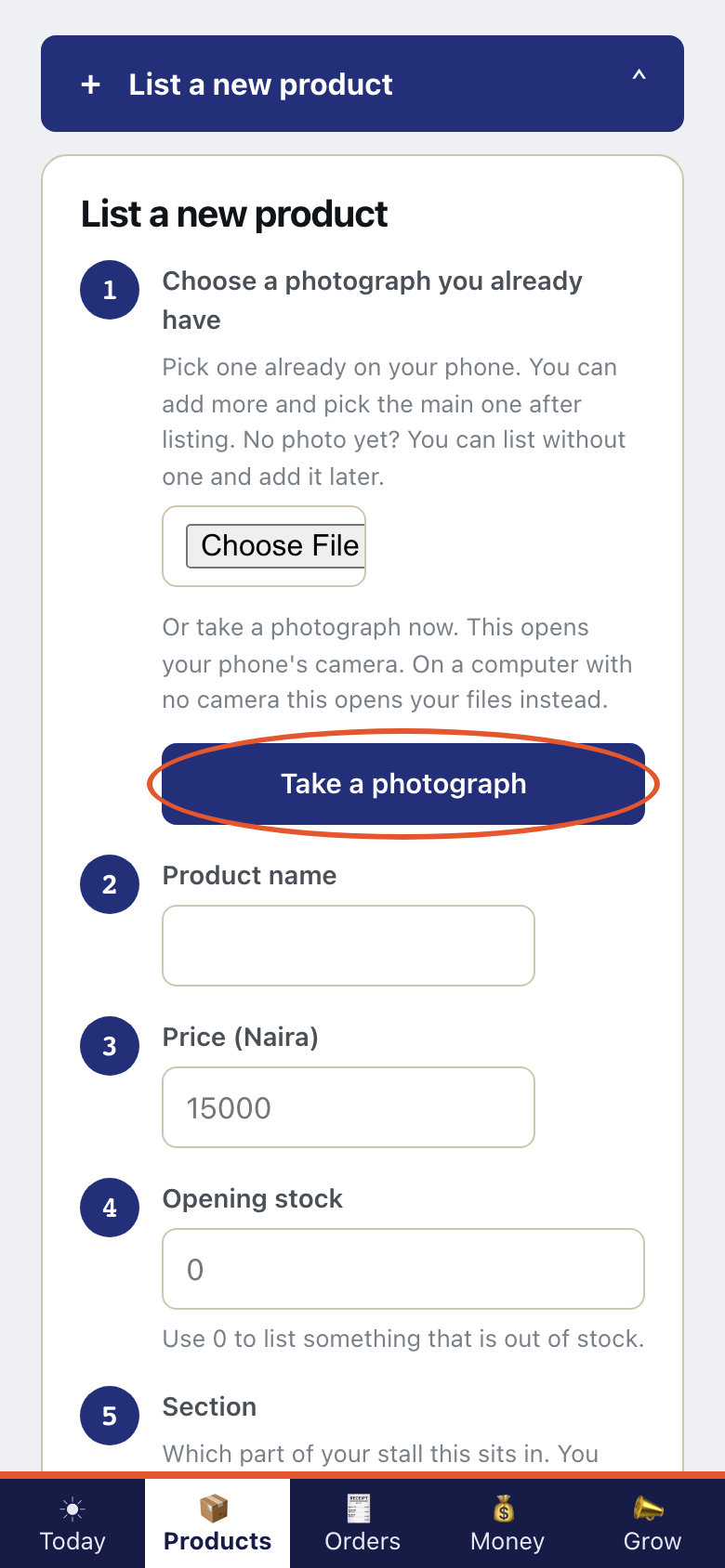
Tap Take a photograph. That is the photo of the item.
- Step 3
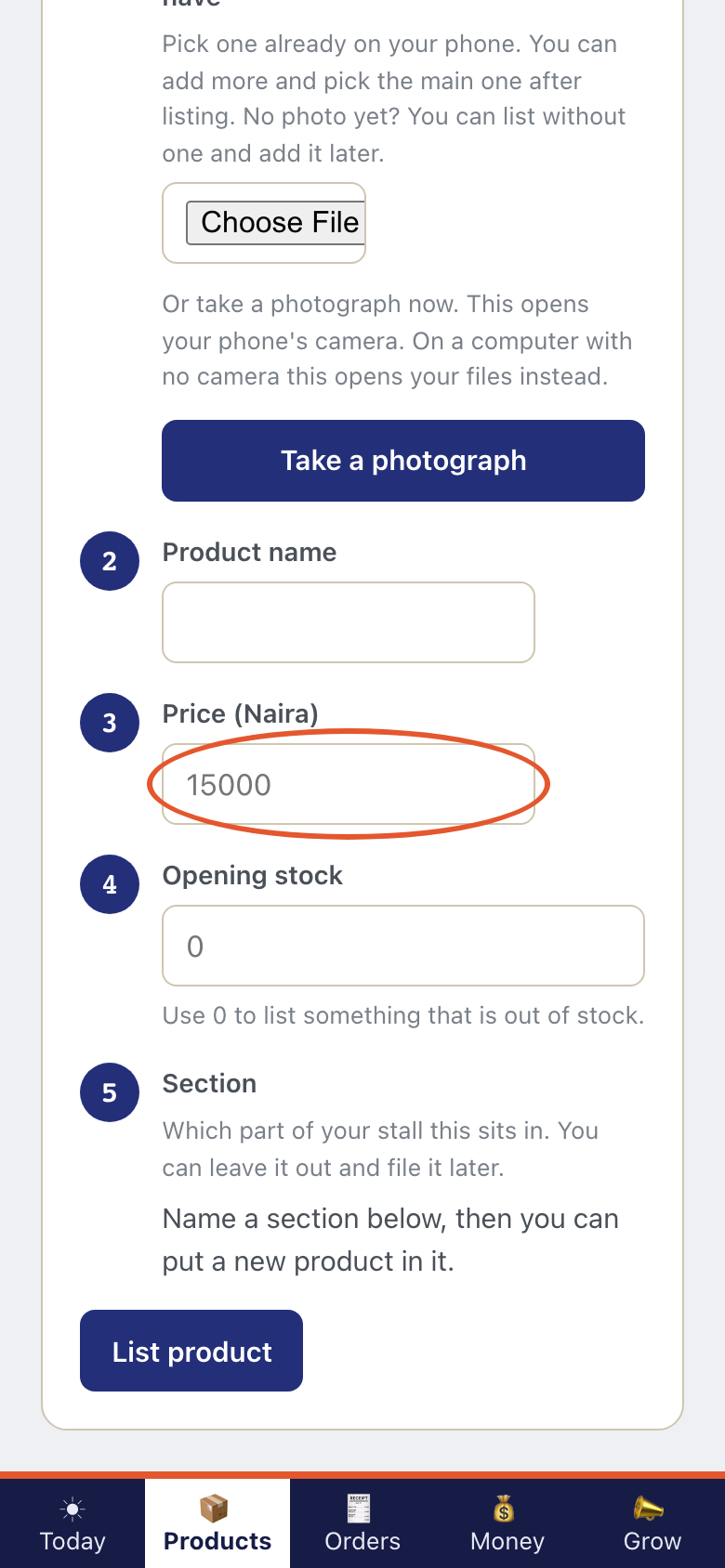
Type the Product name. Then type the Price (Naira).
- Step 4
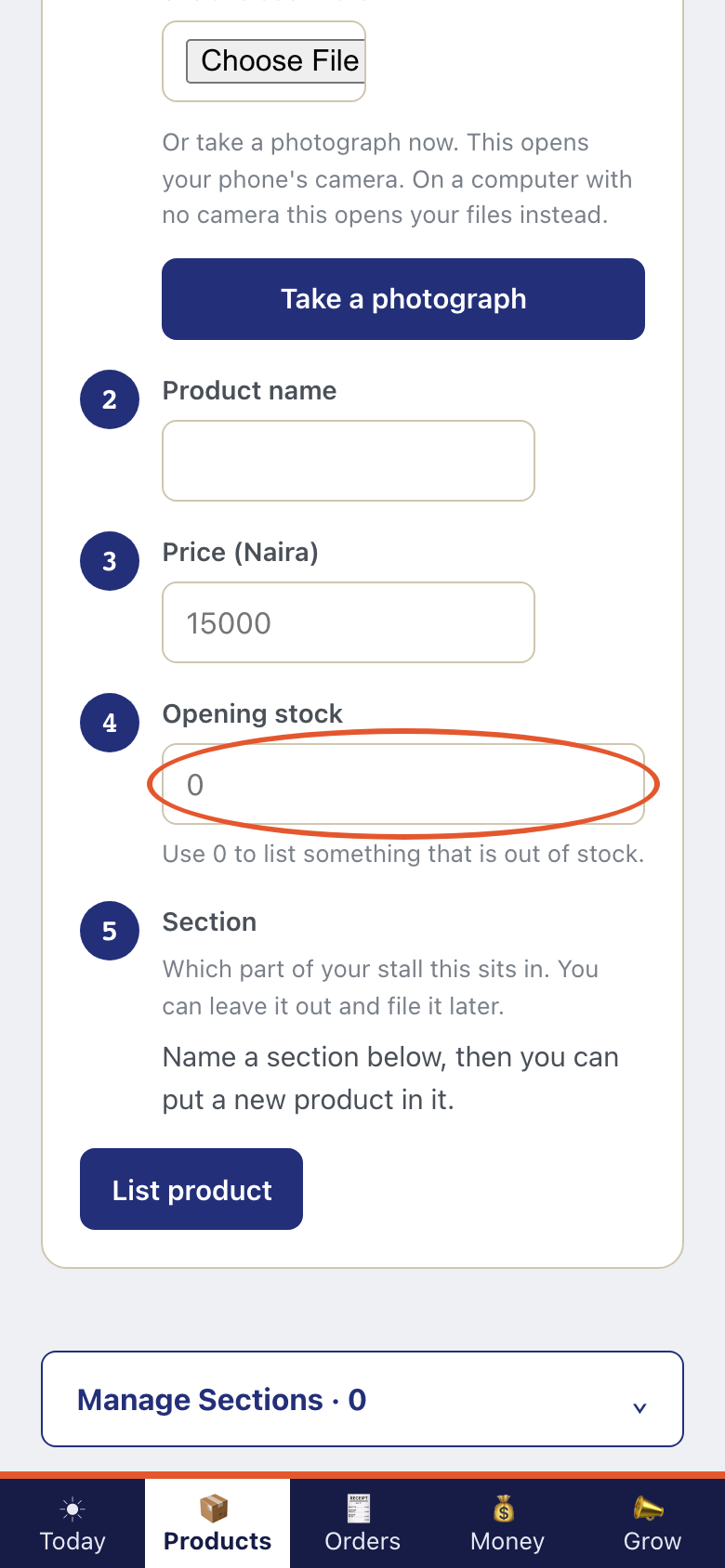
Type Opening stock. That is how many you have. Use 0 to list something that is out of stock.
- Step 5
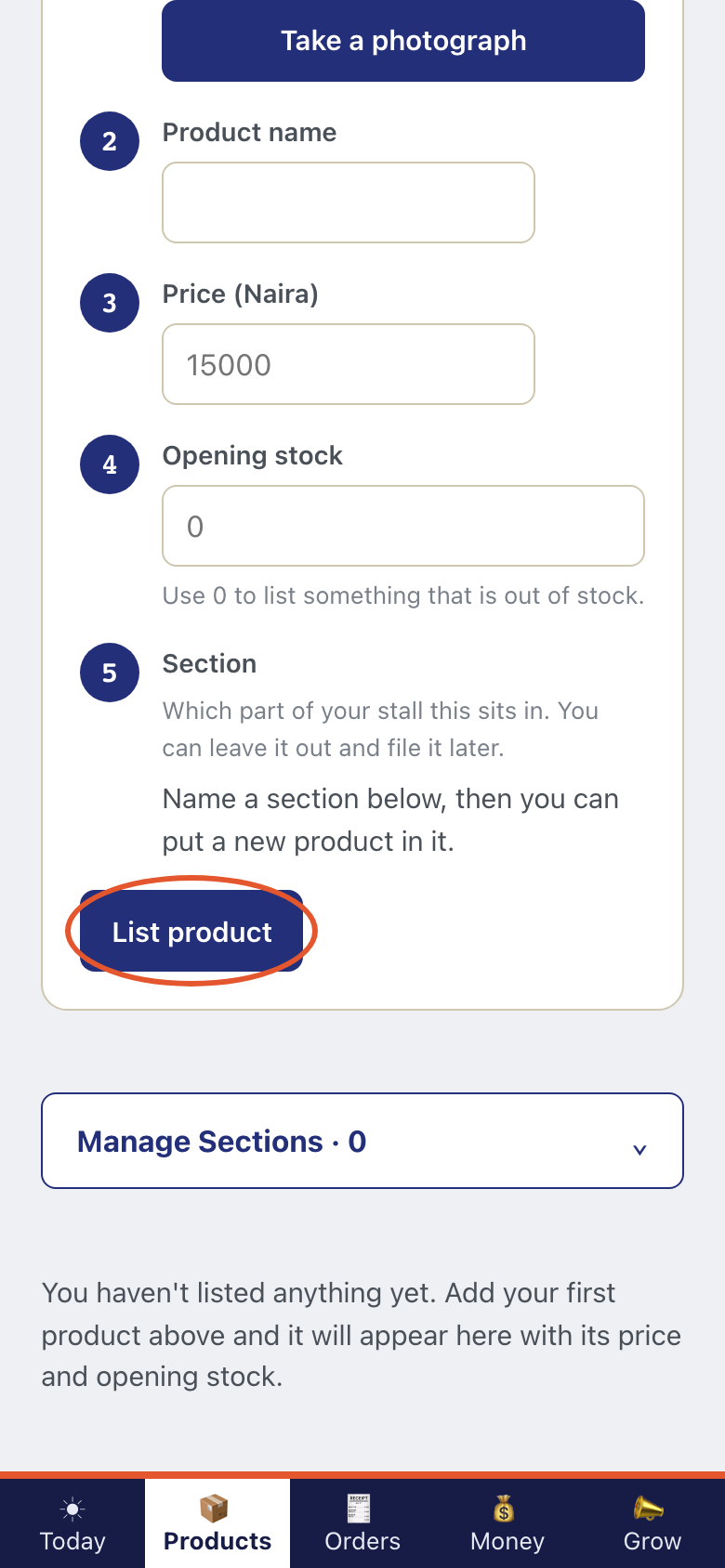
Tap List product. The item is on Products at once.
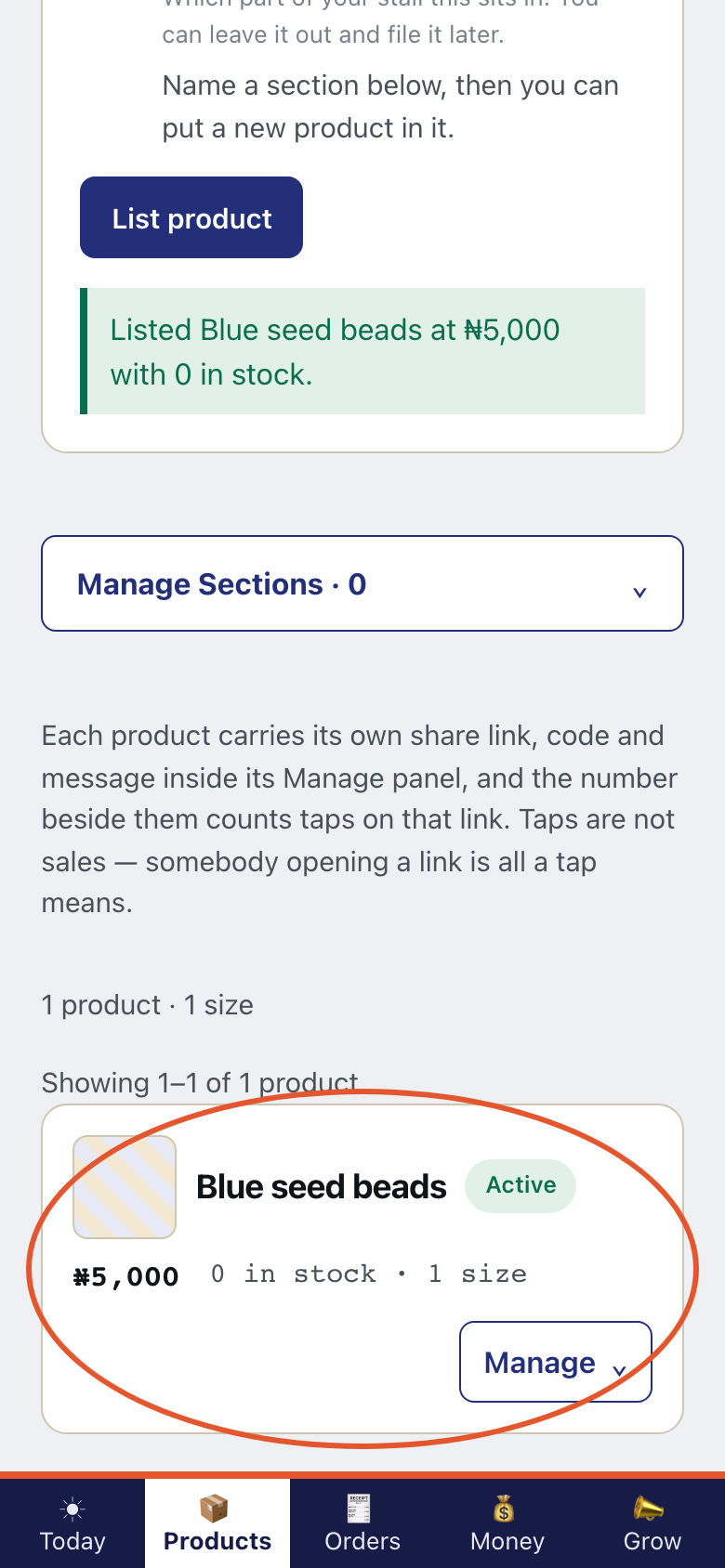
- Step 6
The first listings are free on every plan. Listing more products is part of the Trader plan. Kaya is not taking payment for plans yet.
- Step 7
On WhatsApp, send a photo to Kaya's number.
This is what Kaya writes
KayaGot your photograph. It is waiting in Products to be named and priced. - Step 8
The holding area is empty until you send one. Then Products shows Photographs waiting to be labelled.