How to use Kaya
All chapters
An order comes in
You see every order in one place. You know which ones are waiting on you.
Send on WhatsApp
Opens WhatsApp so you can pick who to send it to.
- Step 1
Open Orders. Look at Waiting on you.
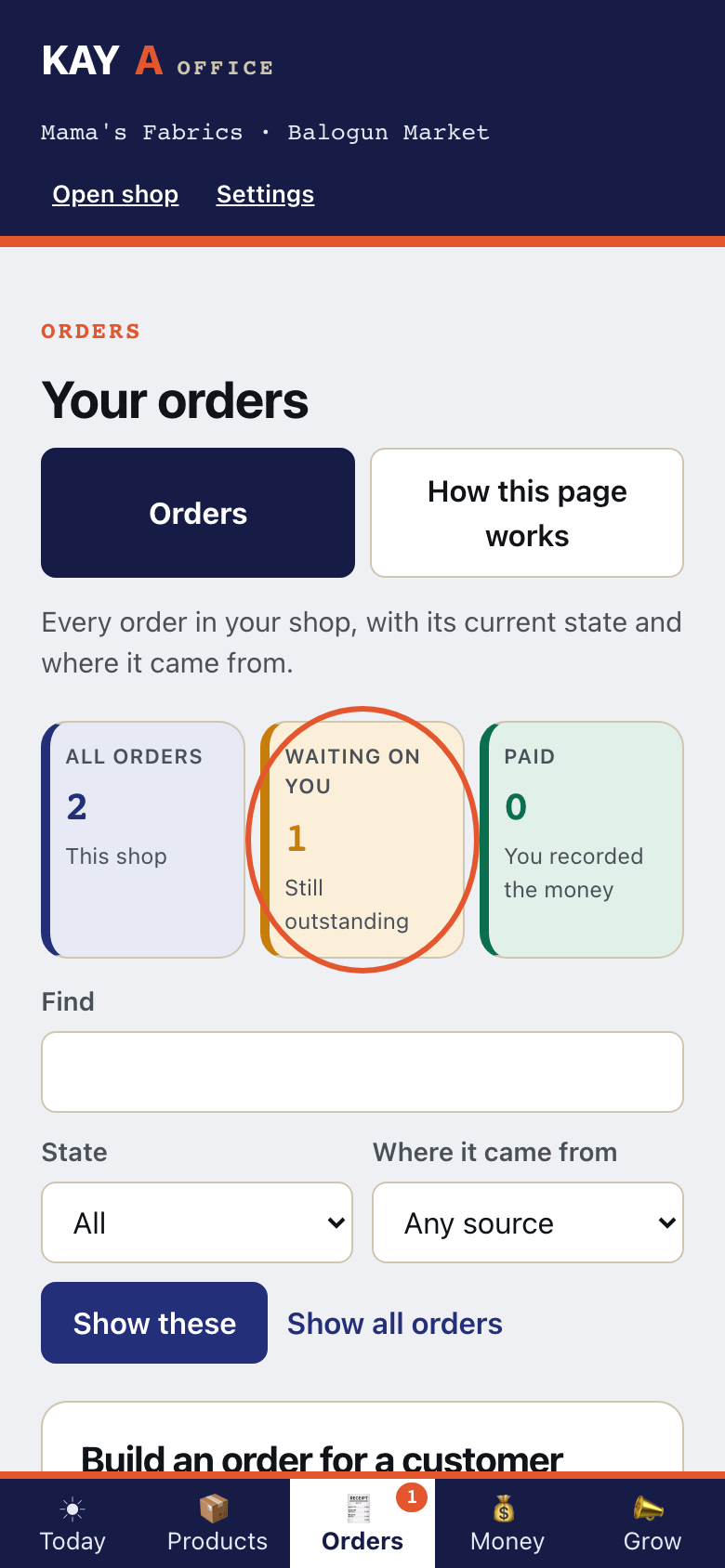
- Step 2
Needs confirming means you have not yet said this order is real.
- Step 3
Confirmed means you have said it is real, and money has not been recorded.
- Step 4
Awaiting payment means the customer has ordered, and you have not recorded that money arrived.
- Step 5
Kaya does not take or check the money. It is your own record.
- Step 6
An order you took in a chat can be built here.
- Step 7
On Telegram, a new web order arrives as this alert.
This is what Kaya writes
KayaNew order 3WC-000243 Lace and gele · Gold lace + gele ×1 — ₦32,000 Delivery ₦3,000 · Total ₦35,000 For Musa Ibrahim, Kano. Waiting for the money. - Step 8
On Telegram, tap 📊 Today. Then tap 🔔 Order alerts: on.
This is what Kaya writes
you📊 TodayKaya🔔 Briefing at 7: off